
Switching organisations
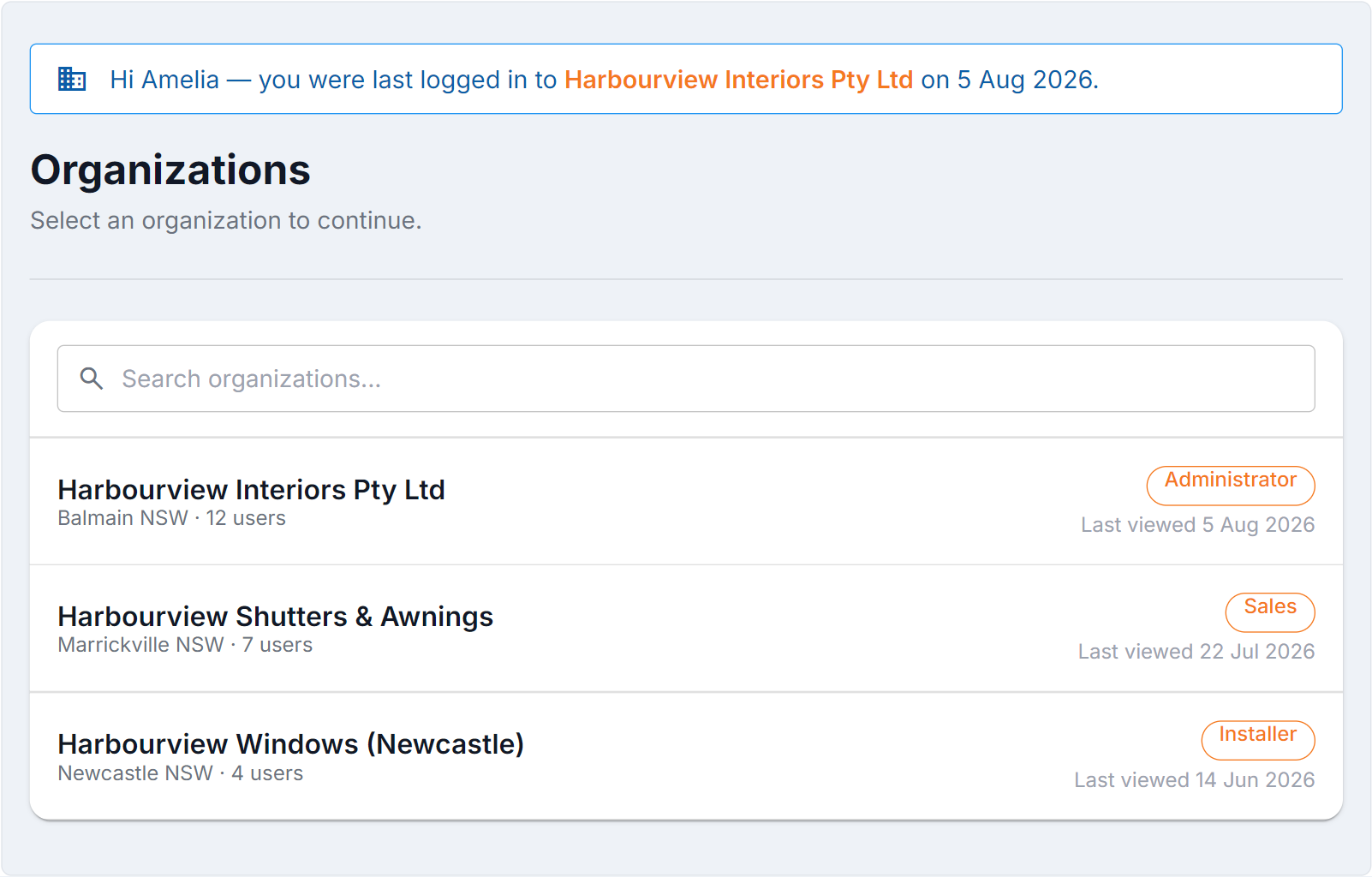
Figure 1 — Organizations. If your login has access to more than one organisation, you pick which one to work in — everything you then see belongs to it. Switch later from your profile menu, and check which organisation you’re in before you change anything.
Choosing one
Section titled “Choosing one”When you log in, BUZ shows Organizations — select an organization to continue if you have more than one. Select the one you want and you’re taken into it.
If you only have access to one, BUZ takes you straight in and you’ll never see this screen.
Switching later
Section titled “Switching later”Go to Organizations from your profile menu and pick a different one.
Common questions
Section titled “Common questions”| Question | Answer |
|---|---|
| An organisation is missing | Your login hasn’t been given access to it. Ask that organisation’s administrator to invite you. |
| I’m seeing the wrong data | You’re in the other organisation — switch and check again. |
| The connector or an integration shows the wrong org | Integrations are tied to the organisation chosen when they were set up. Disconnect and reconnect. See Connect BUZ to Claude. |
See also
Section titled “See also”- Your profile
- Users — for administrators granting access