
General ledger
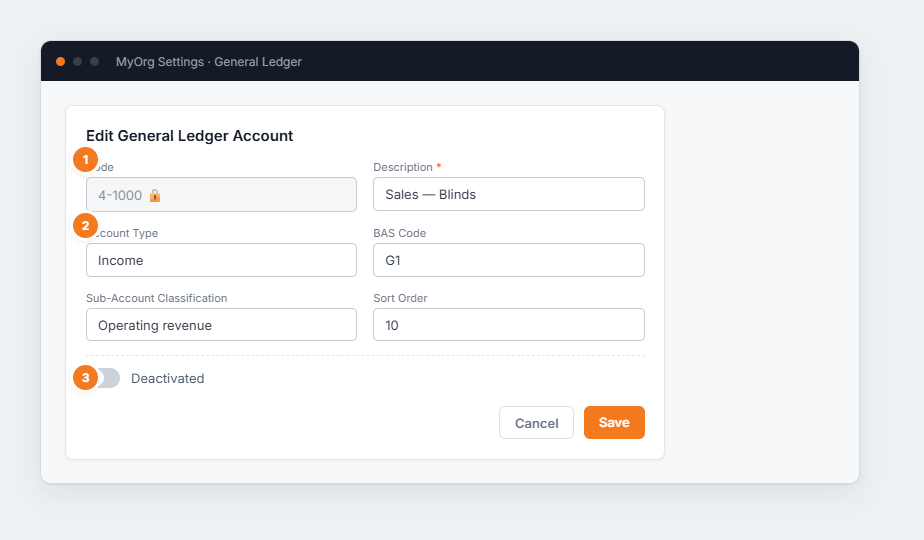
Figure 1 — editing a GL account. (1) The Code is fixed once created. (2) Account Type and BAS Code classify it for reporting. (3) The Deactivated toggle retires an account without deleting it.
- Add an account (or ✎ to edit).
- Set its Description, Account Type, BAS Code and Sort Order.
- To retire one, switch Deactivated on rather than deleting.
- Save.