
Payment methods
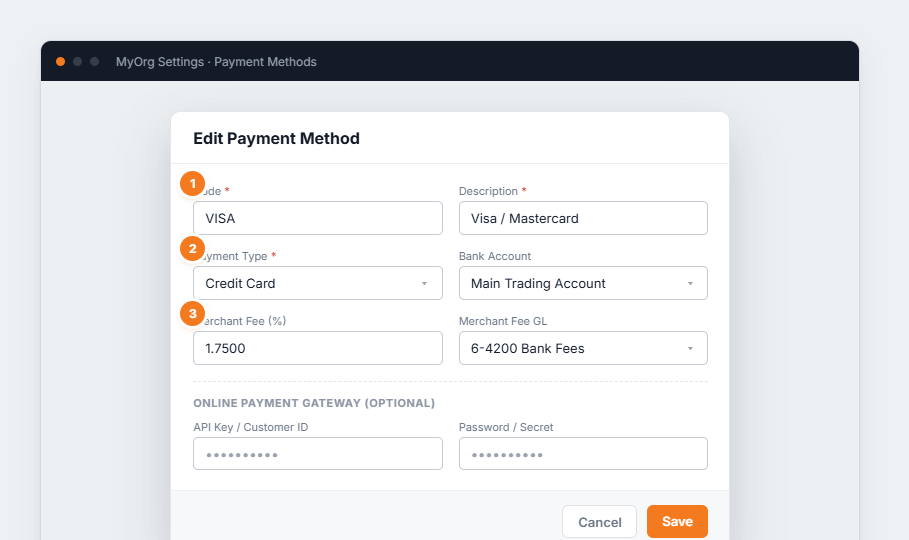
Figure 1 — editing a payment method. (1) Code and Description are required. (2) The Payment Type classifies it. (3) A Merchant Fee % and its GL account let BUZ record surcharges automatically. Gateway fields are only needed for online payments.
- Add a method (or ✎ to edit).
- Set Code, Description and Payment Type.
- Optionally link a Bank Account, a Merchant Fee % and GL account.
- Add gateway credentials only if this method takes online payments, then Save.