
Leads Sources
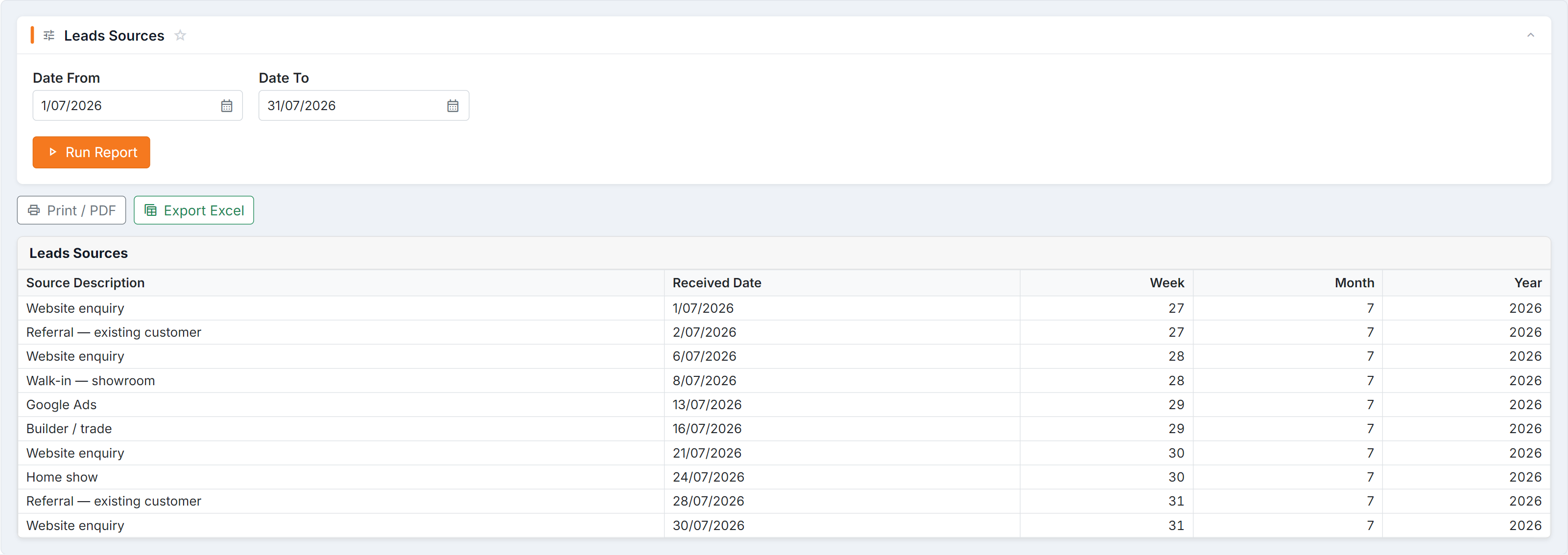
Figure 1 — Leads Sources: every lead received between the two dates, with the source it came in by and the week, month and year it landed in. There is no other filter — narrow it by shortening the date range, and count by source in the Excel export.
Parameters
Section titled “Parameters”Date From and Date To.
Columns
Section titled “Columns”| Column | Meaning |
|---|---|
| Source Description | The marketing source recorded on the lead |
| Received Date | When the lead arrived |
| Week / Month / Year | Period groupings for trending |
How to read it
Section titled “How to read it”- Trend, don’t snapshot. Run the same quarter across years — one month is noise.
- Volume isn’t value. A source producing many leads that never convert is worse than a few that do. Read it beside Lead conversions.
- Group by Month for seasonality — most window-furnishing sources move with the weather.
Common questions
Section titled “Common questions”| Question | Answer |
|---|---|
| Lots of blank sources | Sources aren’t being set at lead entry. Fix the habit before trusting the report. |
| A source is missing | No leads from it in that window. |
| Numbers lower than my ad platform reports | Not every click becomes a lead in BUZ — expect a gap. |