
Groups & permissions
Groups at a glance
Section titled “Groups at a glance”The list shows each group’s name, description, role and member count. Click a group to edit it, or use Add Group to create one.
Editing a group
Section titled “Editing a group”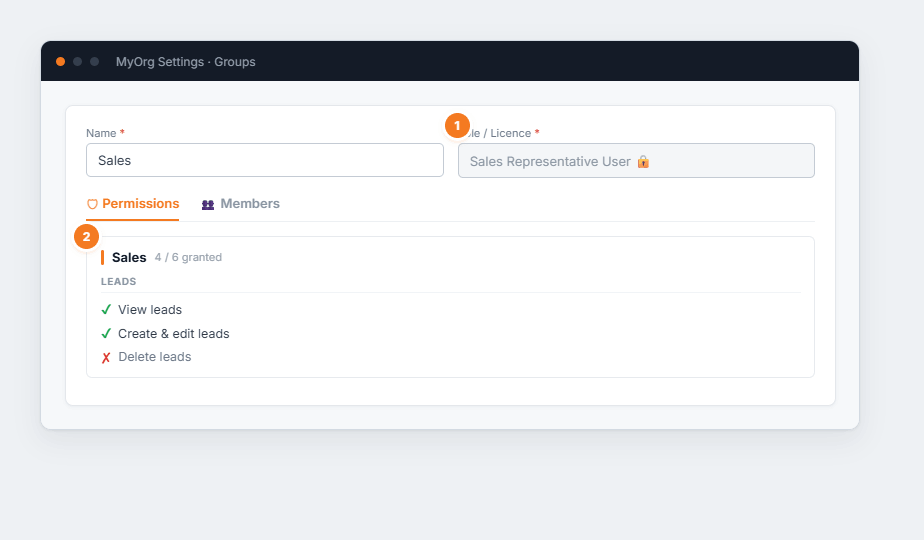
Figure 1 — editing a group. (1) The Role / Licence is chosen when the group is created and locks after — it determines the licence type. (2) The Permissions tab groups toggles by area; a green ✔ grants, a red ✘ denies. The Members tab (beside it) lists who’s in the group.
- Add Group, give it a name, and choose its Role / Licence (this can’t be changed later).
- On the Permissions tab, toggle each capability on or off by category.
- On the Members tab, add people by email or remove them.
- Save.