
To edit
Click the pencil. The full form reopens with all details filled in. Change what you need, then Save Appointment.
Once an appointment is on the calendar you can look at it, change it, move it, or remove it.
Click any appointment once. A pop-up shows the customer’s full details and buttons to act on it.
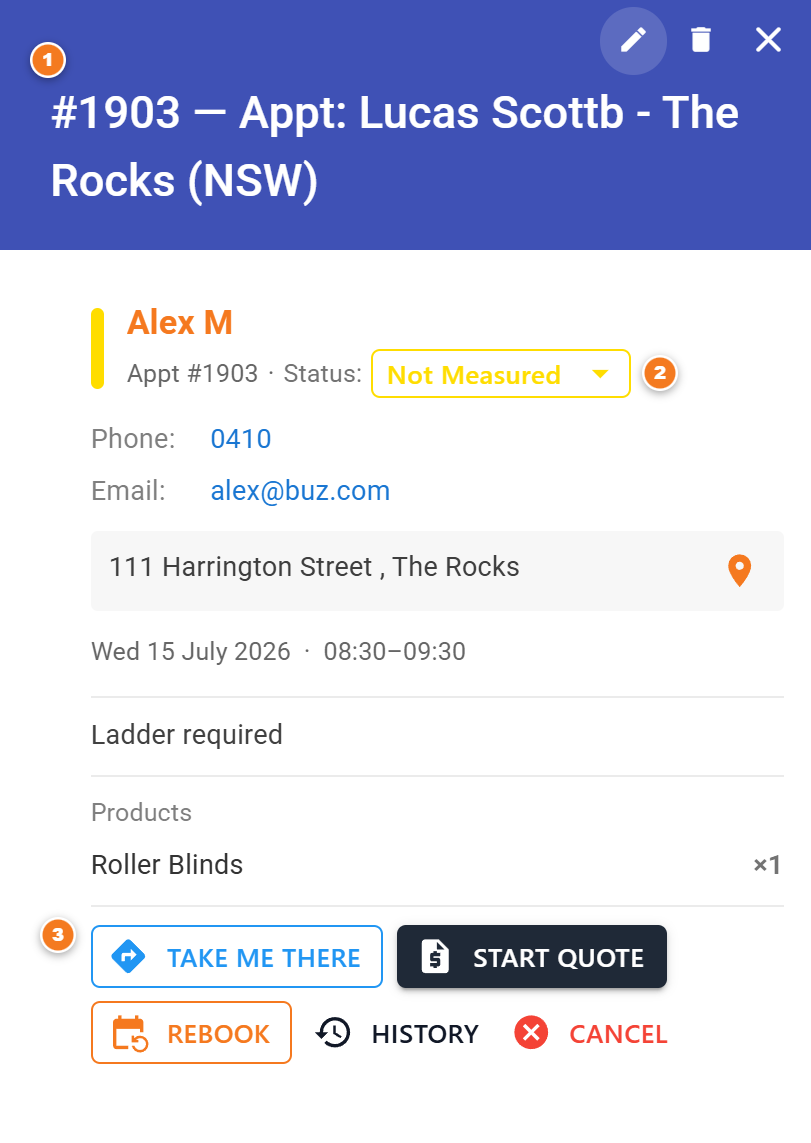
Figure 1 — the details pop-up.
To edit
Click the pencil. The full form reopens with all details filled in. Change what you need, then Save Appointment.
To move it
Press and hold the card with the mouse, drag it to a new day or time, and let go — “drag and drop”.
To delete
Click the bin. BUZ asks you to confirm first, so you can’t delete by accident.
Jump to the customer
The pop-up links to the customer’s full record (their “360 view”) so you can see their whole history.
Rebook keeps the visit you made and books the next one, so the day’s history stays true.
A new appointment appears at the new date and time. Use this rather than dragging the old appointment forward — dragging moves the visit and loses the fact that you turned up.