
Sales settings
The settings
Section titled “The settings”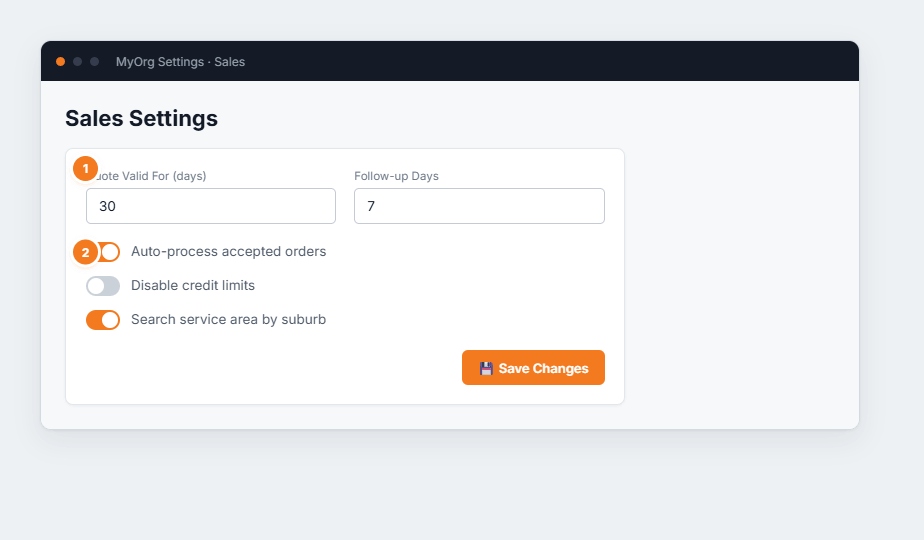
Figure 1 — Sales Settings. (1) The two numeric fields set quote validity and follow-up timing. (2) The toggles change day-to-day sales behaviour.
- Quote Valid For (days) — how long a quote is honoured. Shown on the quote and used by the “valid days” merge field in your email templates.
- Follow-up Days — how many days after a quote BUZ flags it for follow-up, so nothing slips.
- Auto-process accepted orders — when on, an accepted quote turns into an order automatically, with no manual step.
- Disable credit limits — when on, BUZ won’t block orders that exceed a customer’s credit limit. Leave off if you rely on credit control.
- Search service area by suburb — matches jobs to service areas by suburb rather than postcode.