
Deposits Held
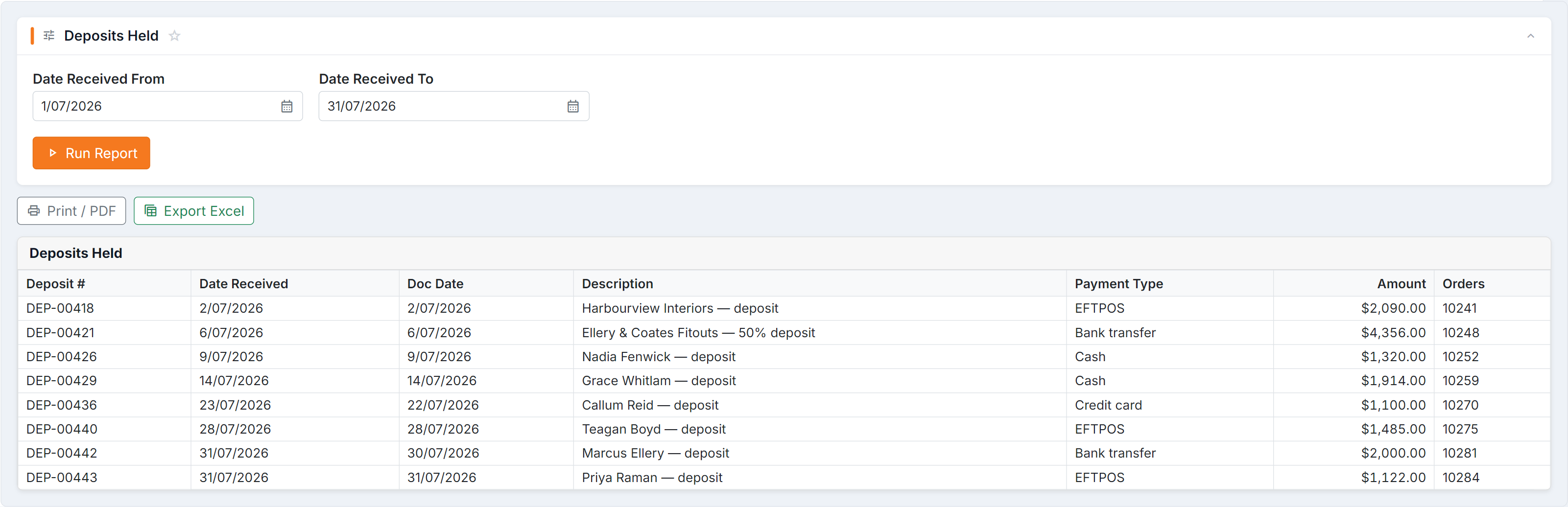
Figure 1 — Deposits Held: the customer money you’re holding, listed by the date each deposit was received, with the payment type it came in by and the order or orders it sits against.
Parameters
Section titled “Parameters”Date Received From and Date Received To.
Columns
Section titled “Columns”| Column | Meaning |
|---|---|
| Deposit # | The deposit record |
| Date Received | When it was taken |
| Doc Date | The document date |
| Description | What it relates to |
| Payment Type | How it was paid |
| Amount | How much |
| Orders | The order(s) it’s held against |
How to use it
Section titled “How to use it”- An old deposit with no progress on the order is worth chasing — either finish the job or refund it.
- Check the Orders column: a deposit not linked to an order won’t be released properly when the job completes.
- Run it at month-end for your accountant, alongside Banking Transactions Summary.
Common questions
Section titled “Common questions”| Question | Answer |
|---|---|
| A deposit is missing | Check the date range — it filters on received date. |
| A completed job still shows a deposit | The deposit hasn’t been applied to the final invoice. |
| Total doesn’t match my bank | This is deposits only. Use Banking Transactions Summary for all receipts. |