
Subscription & cancellation
Your plan
Section titled “Your plan”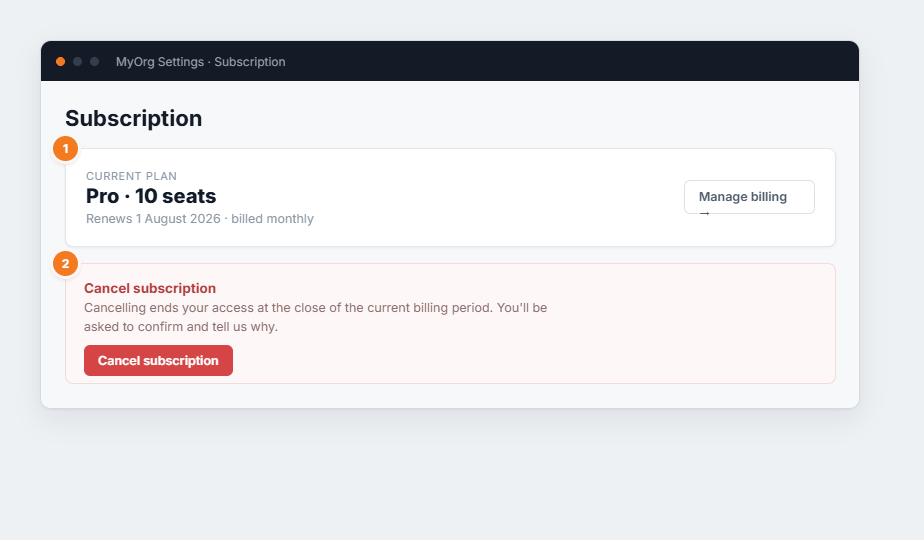
Figure 1 — the Subscription page. (1) Your current plan, seat count and renewal date, with a link to manage billing. (2) The cancel section, kept separate so it’s never clicked by accident.
- Current plan — your tier and licensed seat count. Check this against the Users page before inviting more people.
- Manage billing — opens billing details (payment method, invoices).
Cancelling
Section titled “Cancelling”- Click Cancel subscription in the red section.
- Confirm — you’ll be asked to confirm and to give a reason.
- Your access continues until the end of the current billing period, then stops.