
Completed Job Lines Levels
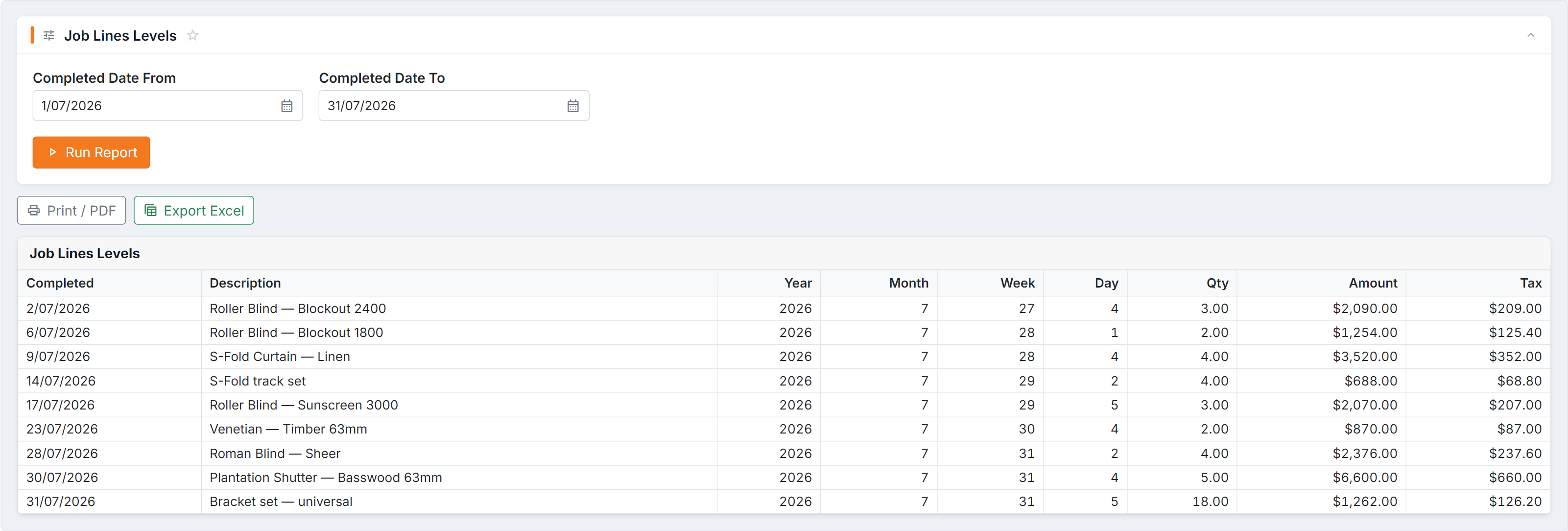
Figure 1 — Job Lines Levels: each line completed in the window, with its period broken out as Year, Month, Week and Day so the export pivots cleanly, plus quantity, amount and tax.
Parameters
Section titled “Parameters”Completed Date From and Completed Date To.
Columns
Section titled “Columns”| Column | Meaning |
|---|---|
| Description | The job line |
| Qty | Quantity completed |
| Amount / Tax | Value and tax |
| Completed | The completion date |
| Day / Week / Month / Year | Period groupings |
How to read it
Section titled “How to read it”- Group by Week for a genuine output trend; daily numbers swing too much to read.
- Compare Qty against the same period last year to see whether capacity is actually growing.
- A drop with no drop in orders means a bottleneck — check Capacity and Work In Progress.
Common questions
Section titled “Common questions”| Question | Answer |
|---|---|
| Lower than expected | Lines only appear once marked complete. If completion isn’t recorded promptly, output looks worse than it is. |
| A job is missing | It has no completed date — it hasn’t been marked complete. |
| Doesn’t match sales | Different events, different months. Expected. |