
Xero
- On the Integrations hub, pick Xero and click Connect.
- Log in and authorise BUZ on Xero’s site — you’re returned here with a green Connected badge.
- Click Manage mapping and pair each BUZ account with its Xero account.
- Save mapping.
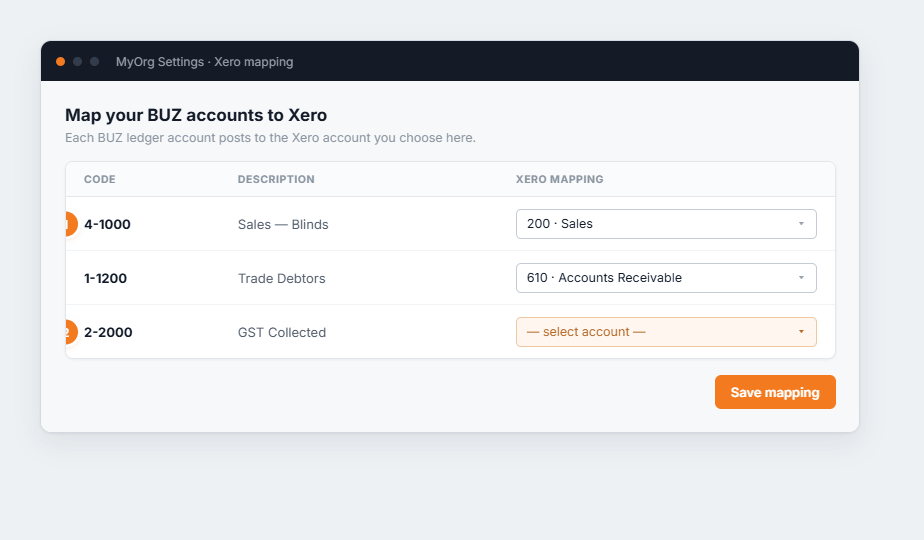
Figure 1 — account mapping. (1) Each BUZ code maps to a Xero account. (2) An unmapped row is highlighted — those transactions won’t sync until you pick an account.