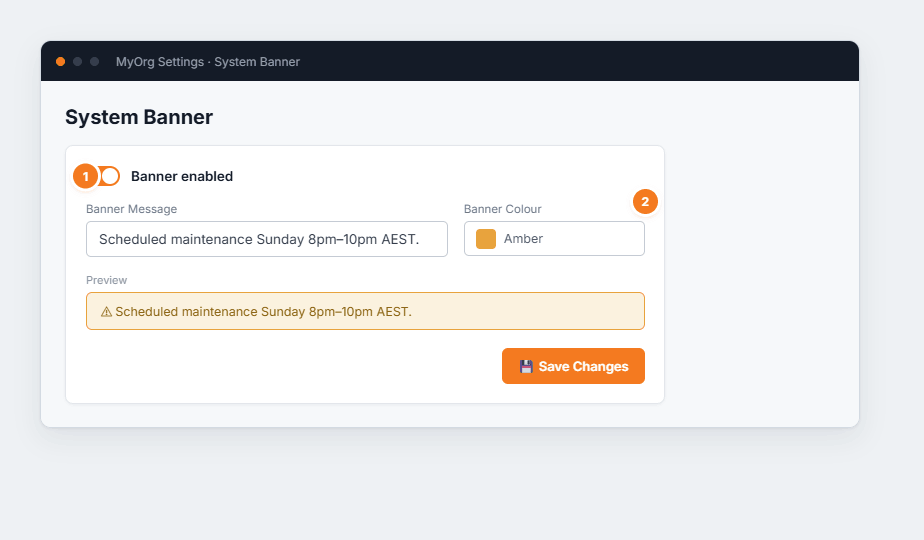
Figure 1 — the System Banner settings. (1) The enabled toggle switches the banner on or off for everyone. (2) Set the message and a colour; the preview shows exactly what your team will see.
Turn Banner enabled on.
Type the Banner Message.
Pick a Banner Colour (amber for warnings, etc.) and check the preview.
Save Changes — the banner appears for all users immediately.