
Supplier groups
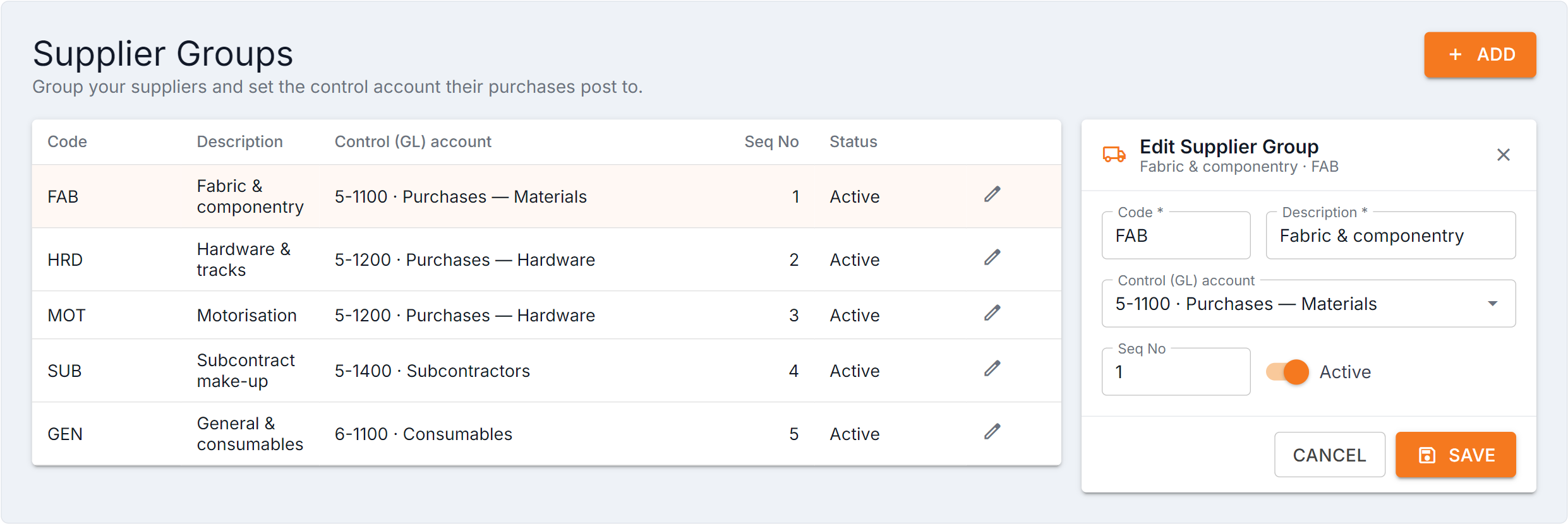
Figure 1 — Supplier Groups with one open. Group by how you want purchases to appear in your accounts, not by how you think about suppliers day to day: if fabric and hardware post to different control accounts, that’s two groups. Changing a control account only affects future purchases, so do it at a period boundary.
Fields
Section titled “Fields”| Field | What it does |
|---|---|
| Code / Description | Identifier and the name shown |
| Control (GL) account | The general ledger account purchases from this group post to |
| Seq No | Display order |
| Status | Active or inactive |
How to group them
Section titled “How to group them”Group by how you want purchases to appear in your accounts, not by how you think about suppliers day to day. If fabric suppliers and hardware suppliers post to different control accounts, that’s two groups.
Common questions
Section titled “Common questions”| Question | Answer |
|---|---|
| A supplier has no group | Set it on the supplier record. |
| Purchases posting to the wrong account | Check the supplier’s group, then that group’s control account. |
| Can I delete a group? | Set it inactive and move suppliers off it first. |